
History of Name Manager: Range names made easy
Why this post
In September 2025, it has been 40 years since Microsoft published the first version of Excel. To celebrate its birthday I thought it'd be nice to show the history of my most popular add-in for Excel.
Download
Name Manager is totally free, download it here.
How it began
Way back in 2002, someone posted a question in the Compuserve Office forum stating he used to have a small utility which allowed him to easily manage Range names in Excel. He wrote down this spec for a Name Manager add-in:
"I want all the names listed in a window so that I can manipulate the names (hide and unhide; modify range; create; delete; paste to a range; go to; localize; globalize; and filter based on hidden or unhidden, global or local, and pattern [i.e., xrn*] ~all simultaneously~). "
To understand why this was needed, have a look at a screen-shot of my Excel 2003, displaying the dialog you had to use to manage range names way back then:
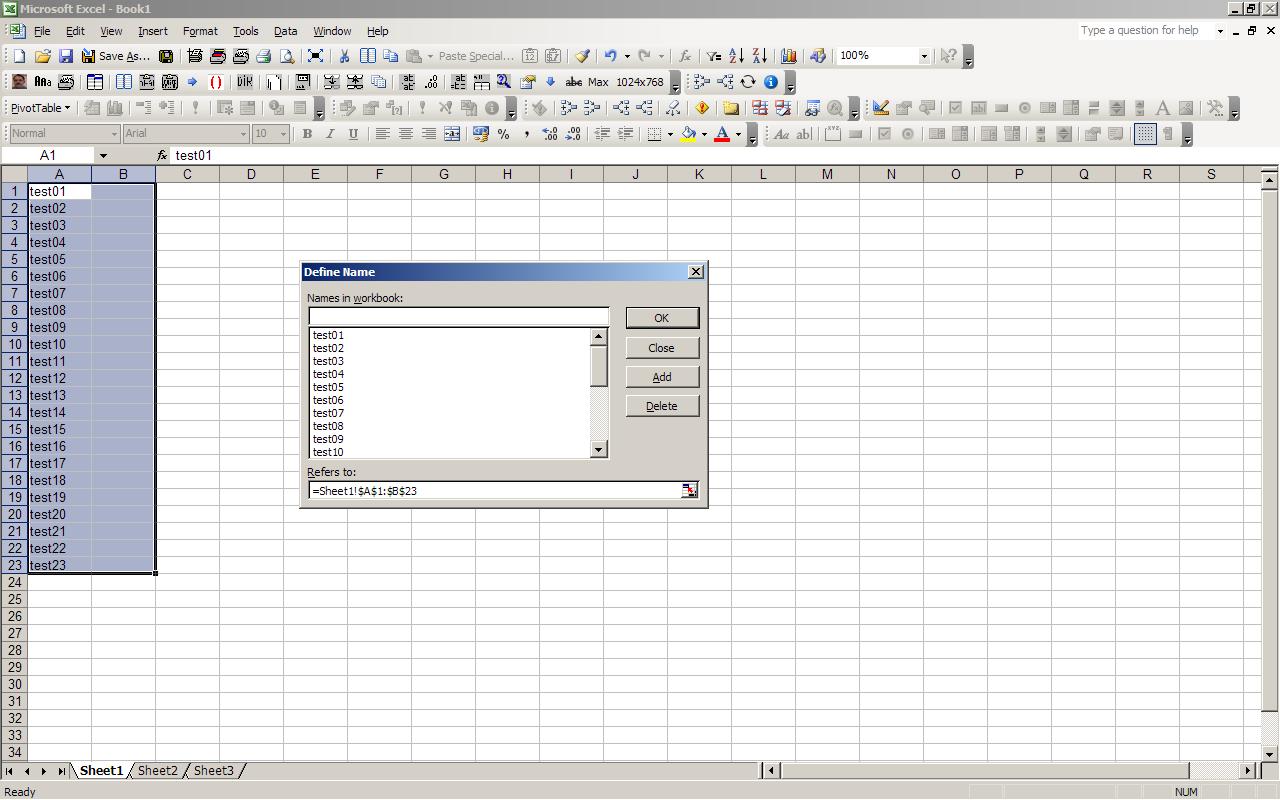
The dialog would only list names relevant to the active worksheet. Any range names local to other worksheets would only be shown when that worksheet was active. This made it really hard to get an overview which range names were in your model.
Below I've gathered screen-shots of the tool over the years and I've tried to list what we added.
The History Of Name Manager in screen-shots
2002, September
After some experimenting and exchanging ideas, here is the first incarnation of the main window:
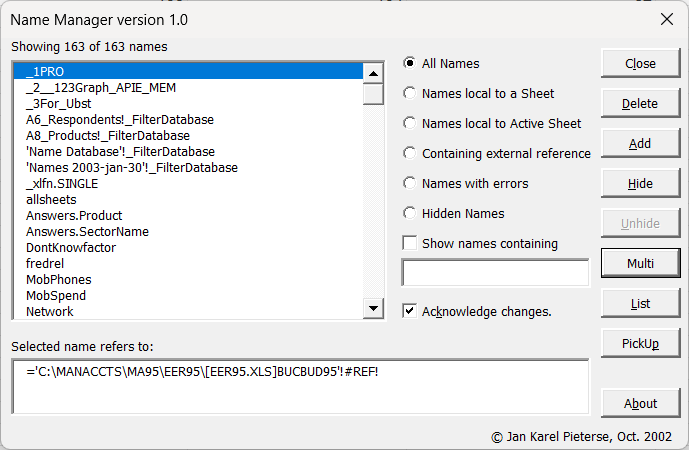
Cute, isn't it?
850 lines of code
2002, October
Charles Williams contacted me. Would I be interested to do a joint development. We did and here is the first co-developed version:
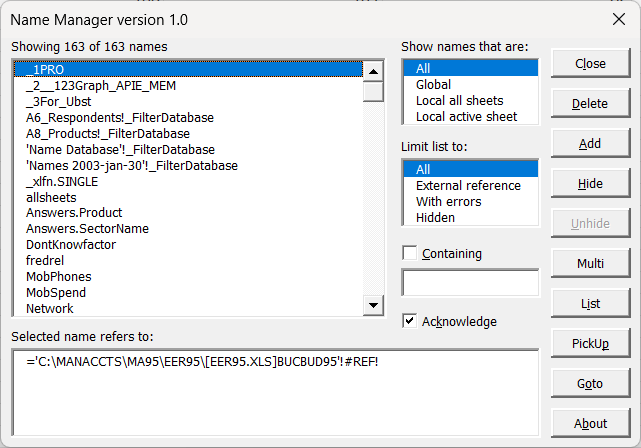
This didn't mean much more code:
849 lines of code
2003, January
In the next months, development went quite rapidly. Here is our product in January 2003:
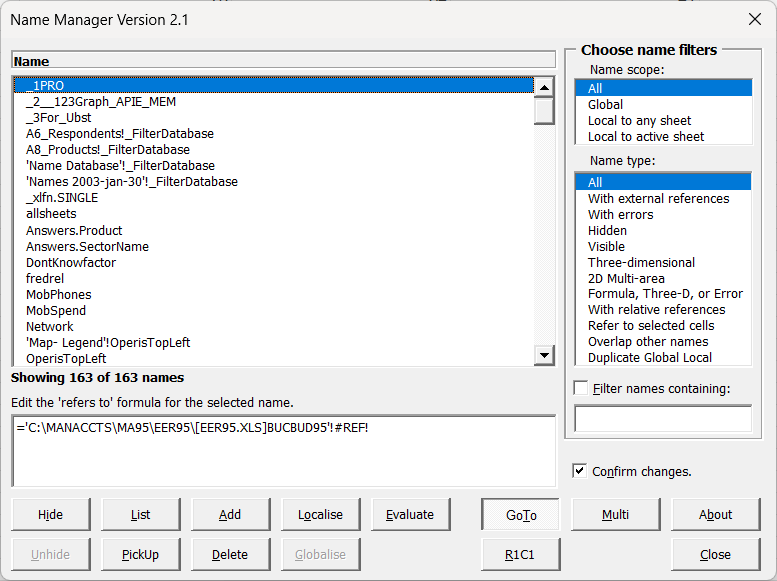
Notice the quick expansion of the list of filters. And lots of new code:
2479 lines of code
2003, October
During the course of 2003, many smaller changes were made. Here is our product in October 2003:
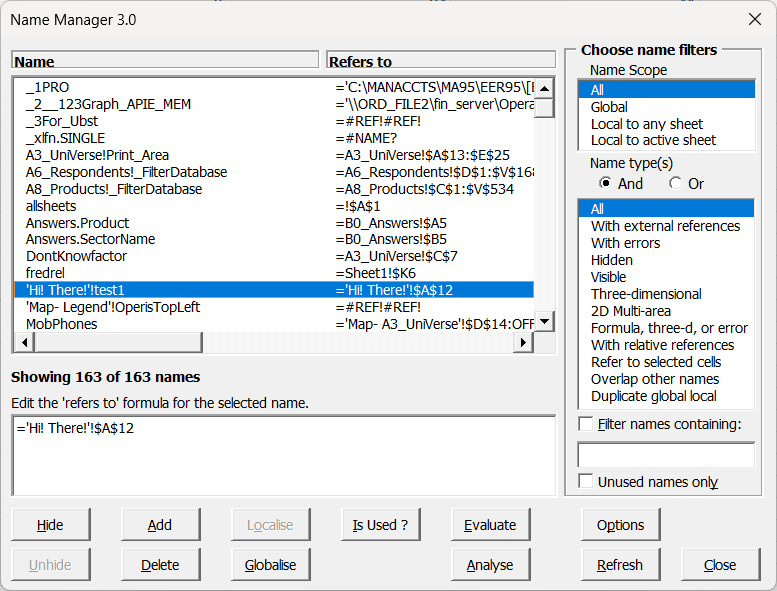
The screen may not look very different, but a lot of bug fixes and work-arounds were added during these months. We discovered quite some bugs in the name object we had to find solutions for.
4505 lines of code.
2004, October
A lot happened in 2004. Look at this!
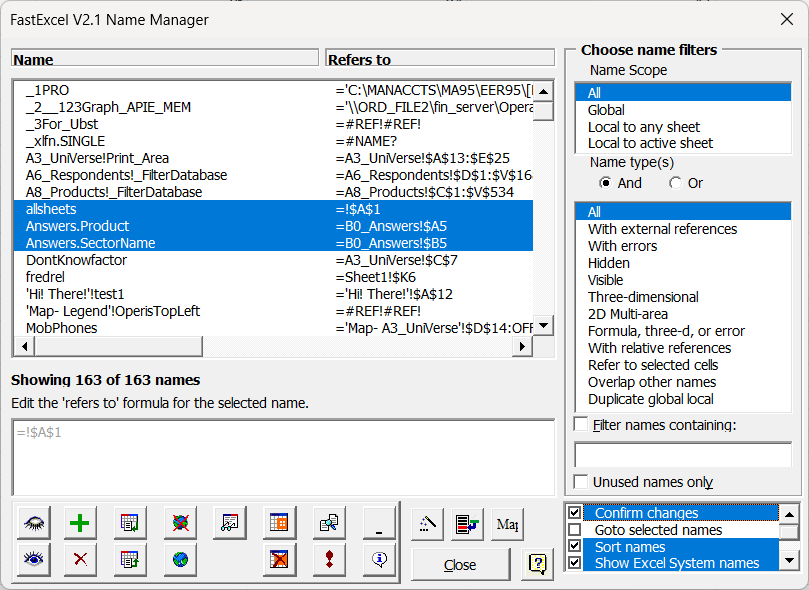
There now is a box to control settings, you can choose whether to have buttons with icons, you can filter out Excel system names and there is a newfangled "Unused names" checkbox, which meant implementing a Search-in-all-Excel-objects module.
8887 lines of code
2005, October
At first sight, nothing much appears to have happened in 2005. But adding that small "English" drop-down was quite a lot of work. A couple of elements of the dialog have become size-able. You can drag the split between Name and RefersTo and the box that says "Showing 163 of 163 names" can also be dragged, to change the height of the two boxes.:
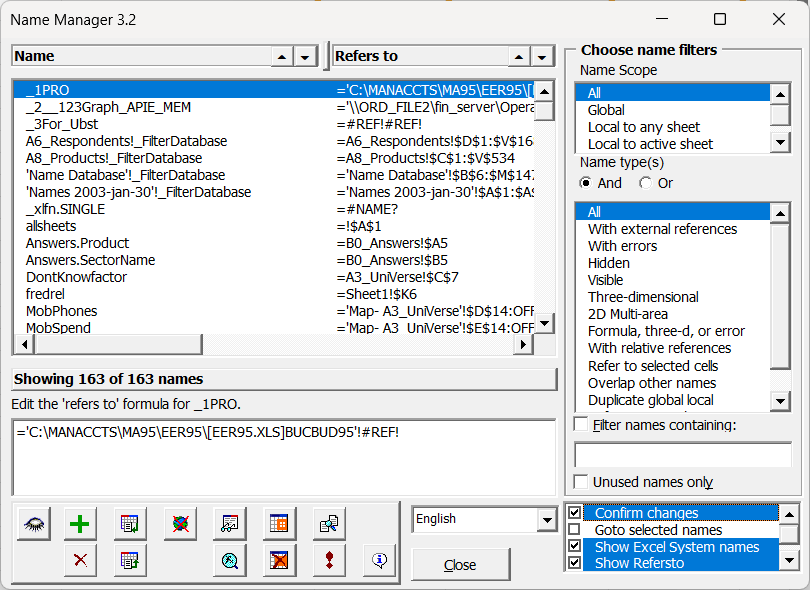
Name Manager is now available in many local languages:
English, Dansk, Deutsch, Français, Nederlands, Português (Brazil), Svenska.
11407 lines of code
2006, October
Computer screens grow larger, so more room is available for our tool. We move the buttons to the top and rearrange some other stuff too.
By the way: Excel 2007 was published around this time. With a nice touch: a Name Manager button! That's right, they borrowed the name of our add-in! Not as good as ours though. One of the Excel PMs called our add-in a "Kick-ass application". Duly noted!
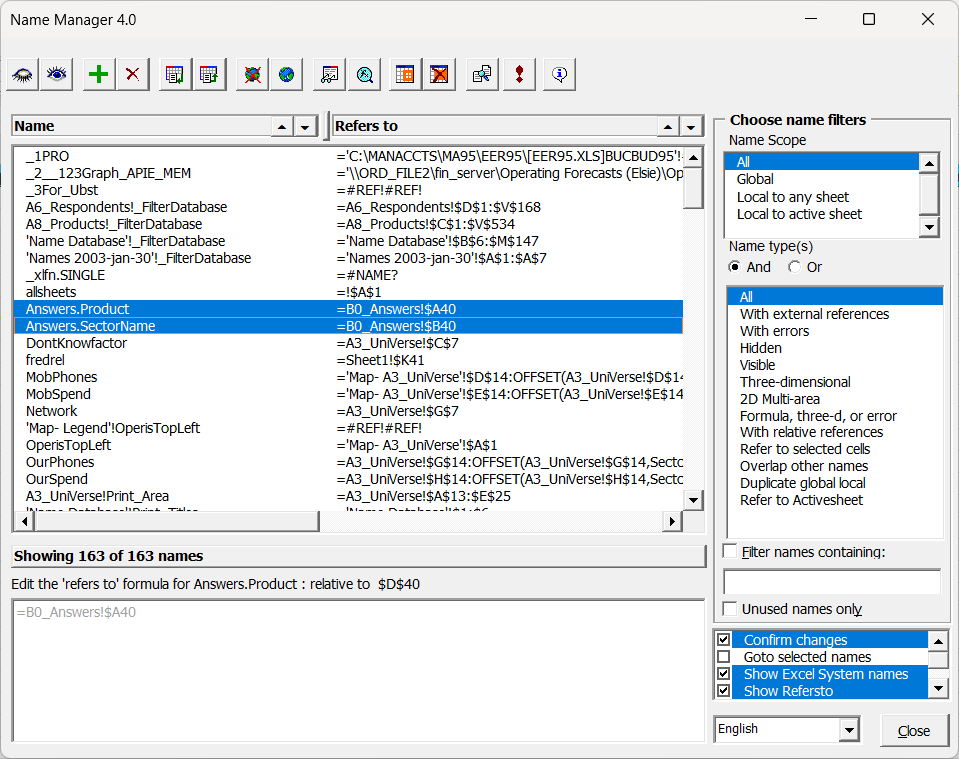
12521 lines of code
2009, October
The product becomes stable, not many new features are added, just feature improvements. Perhaps time to skip ahead a couple of years?
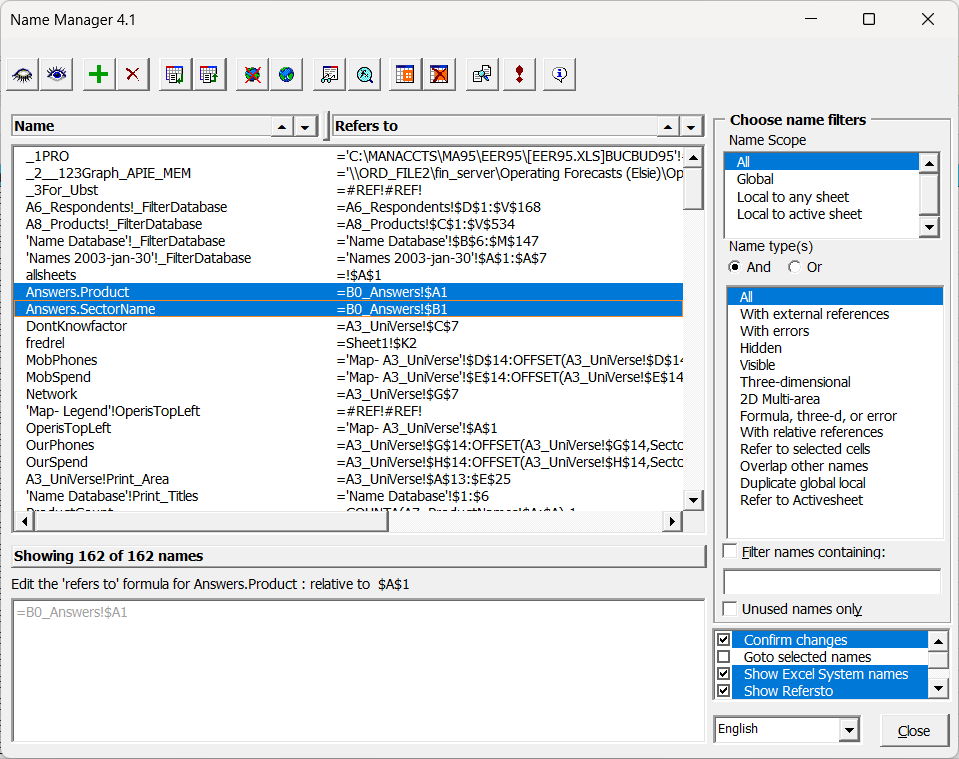
13186 lines of code
2014, October
Five years later; same design, nothing obvious has changed. But improvements were made behind the scenes! For one, Name Manager was updated to work on both 32 and 64-bit Office.
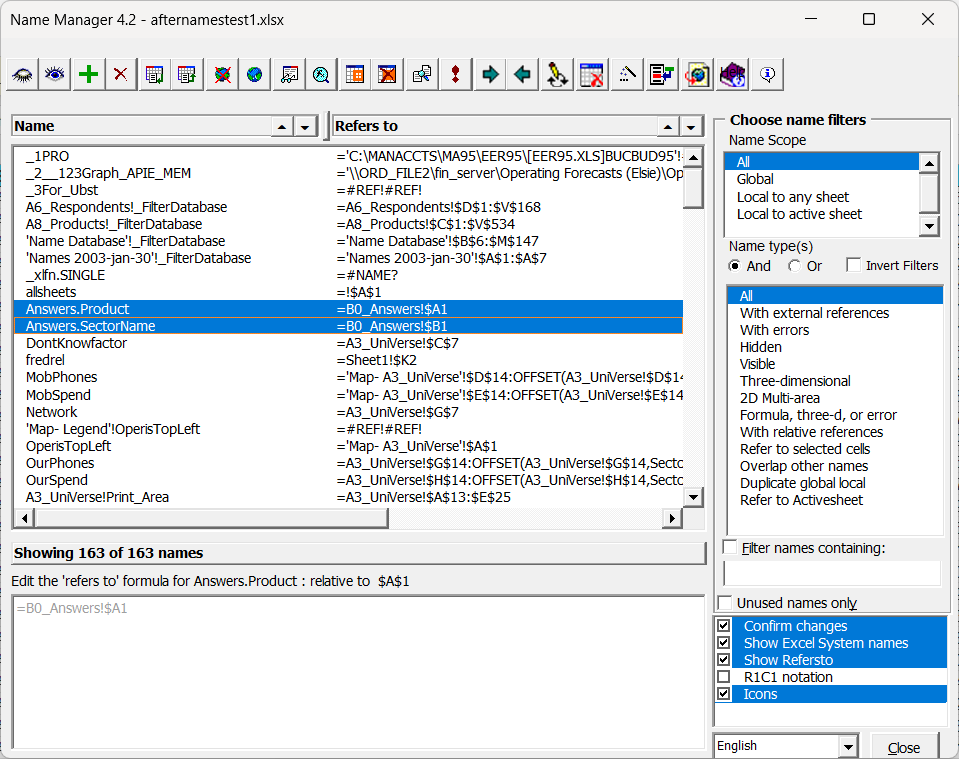
15314 lines of code
2020, Dec
A little over five years have gone by. We've updated the appearance of the form a little, not much else has changed (though the Pro version sold by Charles is quite a bit more capable):
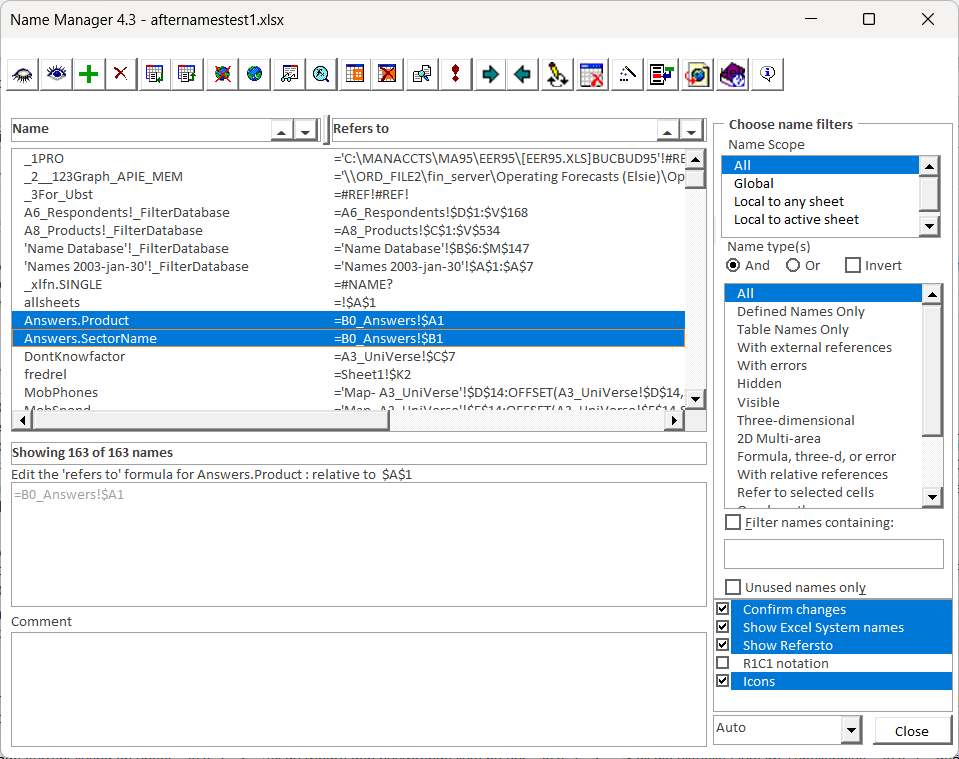
19211 lines of code
2025, Aug
And this is what it looks like as I write this article. We've updated the appearance of the form once more:
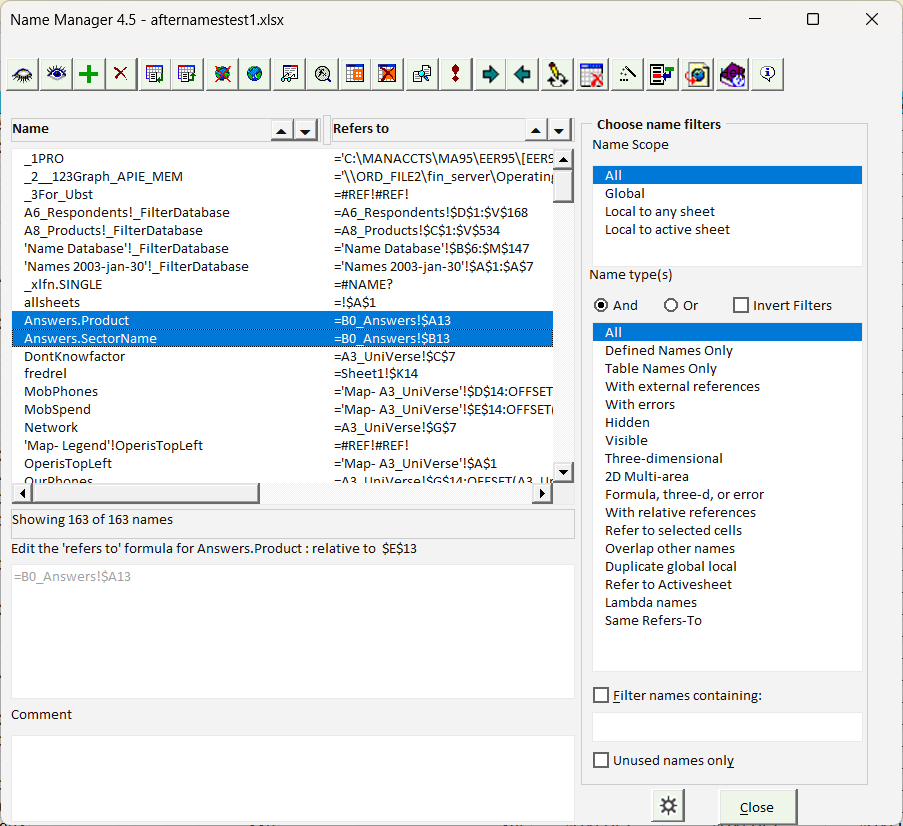
15369 lines of code
In the mean-time...
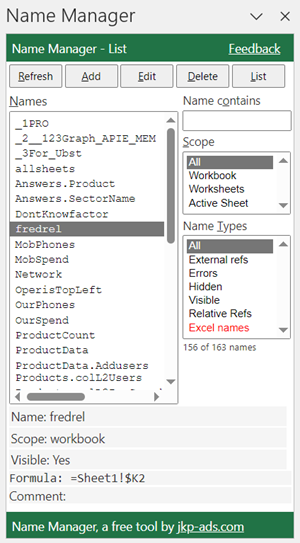
I picked up development in Office-JavaScript. My second project was to port Name Manager to this platform, to make the tool available for Excel-on-line.
It doesn't have all features the VBA incarnation has, but I'm coming closer as the Microsoft team adds more objects and properties to the office-js API.
Comments