
Excel Headlines
My very own list of news on Excel, gathered from various sources!
This site
RefTreeAnalyser has just been updated to version 3.1, build 207. Fixed error on hard-coded number cells when sheet has no formulas. Improved performance of selecting nodes in the precedents tree. Fixed issue when running off-sheet references on a workbook with workbook protection.
Fri, 19 Apr 2024 10:15:00 GMT
I have added an example to my Office script examples page: how to filter a date column in a table for dates older than today.
Thu, 21 Mar 2024 10:50:00 GMT
Excel Experts Nederland
Excel Expert Nederland BlogGebruik je bereiknamen, maar ben je soms gedwongen om in Excel on-line te werken? Dan heb ik goed nieuws, je kunt nu mijn Name Manager downloaden en in Excel on-line bereiknamen beheren, maken en bewerken! Zie https://jkp-ads.com/excel-name-manager-js.asp
Tue, 02 Jan 2024 13:14:18 +0000
Daily Dose Of Excel
By Dick Kusleika (et al)I have these four favorites defined in Outlook: From the inbox, I could hit Shift+F6 to get into the Favorites area but sometimes I would end up in no man’s land and couldn’t figure out how to get back into the inbox. So, god forbid, I had to use my mouse. I wrote this macro: […]
Thu, 23 Mar 2023 20:41:08 +0000
The Ken Puls Blog
By Ken PulsIn case you missed it, I've been posting free video content over on our Skillwave Training YouTube channel. In addition to a new series of monthly "Ask Skillwave" sessions that I'm hosting with my good friend Matt Allington of Excelerator … Continue reading
The post Monkey Shorts appeared first on The Excelguru Blog.
Thu, 24 Feb 2022 19:42:55 +0000
PTS Blog
By Jon Peltier An error has occured while trying to process http://feeds.feedburner.com/peltiertech/EsrO
Please contact web-master.
Contextures Blog
By Debrah DalgleishOne of my favourite Excel features is a data validation drop down list. In just a couple of minutes, you can make a list of items, then make that list appear in a worksheet cell. It’s like magic! The drop down lists make it much easier to enter data, and they help prevent typos, or … Continue reading "Excel Dependent Drop Down Lists – Block Changes"
Thu, 25 Apr 2024 05:01:00 +0000
Microsoft Excel blog on TechCommunity
By various AuthorsWelcome to our March 2024 update.
This month, export to CSV and show details in PivotTables are now available in Excel for the web. Also, creating Power BI-connected tables is available in Excel for the web users, as well as Office Scripts for Office 365 E1 and F3 licenses.
Excel for Web:
- Export to CSV
- Create Power BI Connected Tables in Excel
- Show Details in PivotTables #FIA
- Office Scripts for Office 365 E1 and F3 Licenses
Excel for Web
1. Export to CSV
The ability to export to CSV is now available to all Web users. This experience was already supported for Windows, and Mac users and we’ve now expanded this service to all Web users. Take advantage of this lightweight file format in Excel for the Web to exchange and use data between apps and across platforms. Read more here >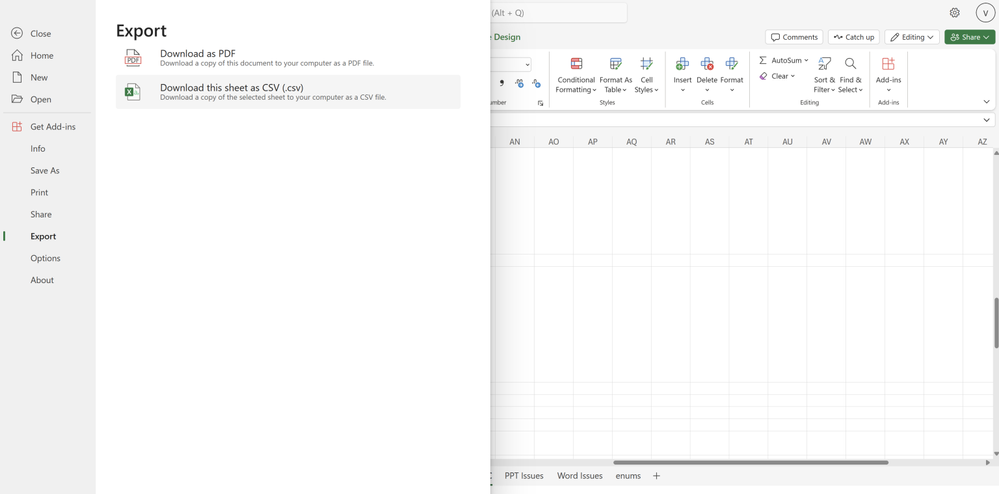
2. Create Power BI Connected Tables in Excel
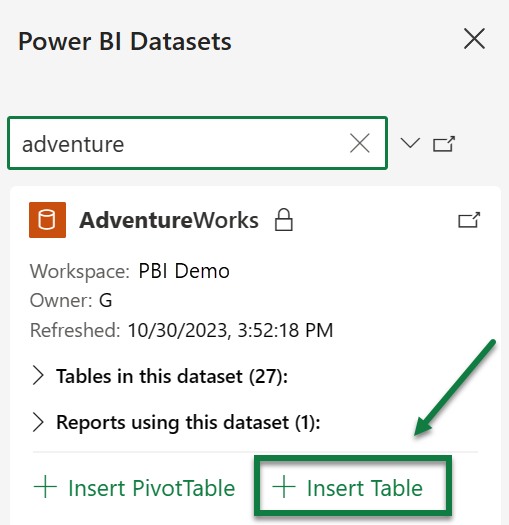
A new Insert Table option is now available for the Power BI Datasets pane in Excel. It enables users to create a connected table directly in Excel. This streamlines the workflow of adding data and is friendlier to more Excel users. Create Power BI-connected tables is now available in Excel for the web – and Excel for Windows (Current Channel). Read more here >
| #FIA |
3. Show Details in PivotTables
We've added a new button on the ribbon under the 'PivotTable Analyze' tab called Show Details, this button allows you to drill into your PivotTables. Previously, you were able to double-click a value cell in the PivotTable and create a new table to further analyze the details for that value. This button makes this existing capability easier to find and use. This functionality was already available for Web users.
4. Office Scripts for Office 365 E1 and F3 Licenses
Starting today you can find the Office Scripts feature set in the Automate tab on the Excel ribbon. Office Scripts is an automation platform in Excel that allows users with all levels of programming experience to automate their repetitive workflows. To get started, use the Action Recorder to record the actions you take in Excel. These actions are then translated into a script that you can run at any time. No programming experience required! Read more here >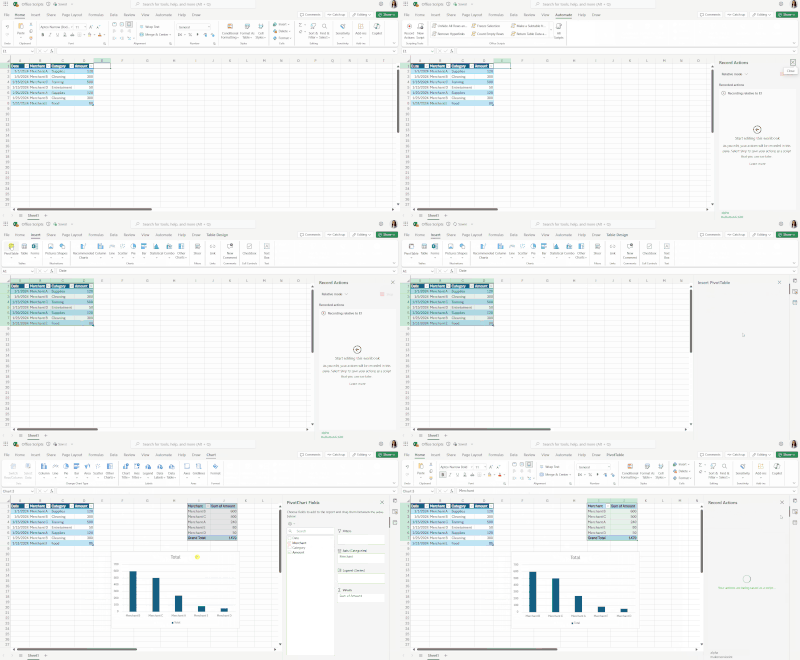
Check if a specific feature is in your version of ExcelClick here to open in a new browser tab
|
Your feedback helps shape the future of Excel. Please let us know how you like a particular feature and what we can improve upon—"Give a compliment" or "Make a suggestion".. You can also submit new ideas or vote for other ideas via Microsoft Feedback.
Subscribe to our Excel Blog and the Insiders Blog to get the latest updates. Stay connected with us and other Excel fans around the world – join our Excel Community and follow us on X, formerly Twitter.
Special thanks to our Excel MVPs David Benaim and Bill Jelen for their contribution to this month's What's New in Excel article. David publishes weekly YouTube videos and regular LinkedIn posts about the latest innovations in Excel and more. Bill is the founder and host of MrExcel.com and the author of several books about Excel.
Last edited on April 3rd: Moved Office Scripts under Excel for Web.
Tue, 26 Mar 2024 09:30:00 PDT